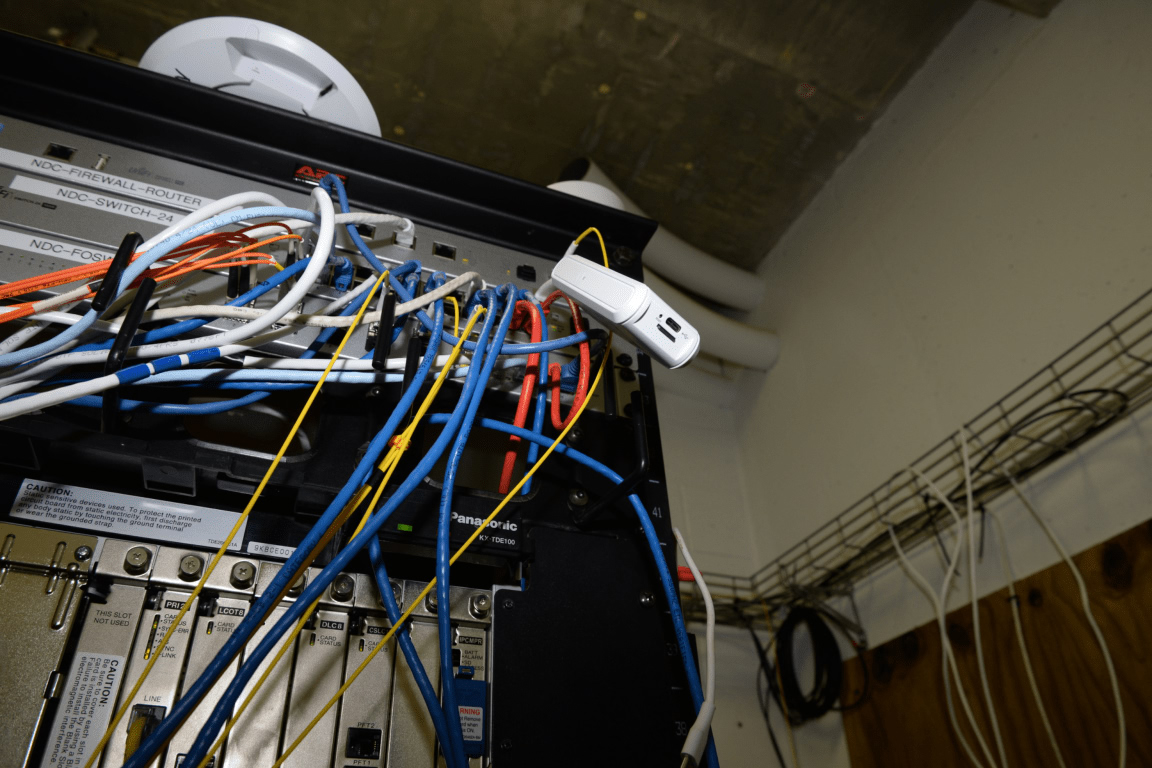
A household counts the boxes after an install and finds three: a small unit on the wall with a green light, a taller unit on a shelf with four aerials, and a plug-in disc in the back bedroom. All three are described as the router by somebody, and none of them are the same thing.
Knowing which box performs which function is what allows a household to replace one without breaking the others, and to complain about the right component when something fails.
What is the ONT?
The optical network terminal, the box on the wall where the fiber ends. It converts light into ethernet and handles the authentication with the network. It belongs to the provider and is not usually replaceable by the customer.
Its lights are diagnostic. A loss of light means the fiber is broken or disconnected, while a working optical light with no internet suggests a problem further up the chain.
What is the router?
The device that manages the local network: it assigns addresses, applies firewall rules, provides Wi-Fi and connects the household’s devices to the ONT. It may also handle authentication in some network designs, which is the case where replacing it is difficult.
Where the ONT and the router are combined in one box, the household has a gateway, and replacing it means recreating both functions. That is why knowing which design applies matters before buying hardware.
What is a mesh node?
An additional wireless access point that participates in a single network with the router, handing devices between nodes as they move. It extends coverage rather than adding capacity, unless it is connected by cable.
A mesh system replaces the router’s Wi-Fi function, not the router itself, in most designs. That distinction is why some households buy a mesh kit and still see the same speed at the router.
Which box limits the speed?
Whichever has the lowest throughput, which is often the router’s processor rather than the Wi-Fi radio. A router rated for a gigabit can struggle with routing, firewall and wireless work simultaneously, particularly in a warm cupboard.
Diagnosing which box is the limit requires a wired test at each stage. The result identifies the component rather than the symptom, which is what a support conversation needs.
Can the ONT be moved?
Rarely by the customer, and not usually by an ordinary engineer visit. The fiber is spliced and the position is fixed at install. Moving it means a new cable run, which is a small project rather than a service call.
That is why the entry point decision is worth making carefully at the start. It is the one part of the arrangement that cannot be adjusted later without cost.
Do all providers allow third-party routers?
Most do, with the caveat about authentication. Where the router must log in with a username and password, a consumer device can usually be configured. Where a certificate is used, it usually cannot.
The provider’s support pages state which method applies, and the answer determines whether buying a router is worthwhile. Checking before purchase takes a few minutes and prevents an expensive mistake.
What about a modem-router combination?
On fiber, there is no modem in the traditional sense, because the ONT performs the conversion. A device sold as a fiber modem-router is effectively a router with an ethernet input, which is fine and should not be confused with a cable or DSL modem.
Buying the wrong type is a common error when replacing rental equipment. The specification to check is the WAN port, not the label on the box.
Does a mesh system replace the ONT?
No. The ONT stays, and the mesh connects to it by ethernet. A mesh kit that claims to replace everything is describing a router function, not an optical termination.
The correct sequence is fiber, ONT, router or mesh base, then nodes. Each link in that chain has its own capacity, and the weakest one sets the experience.
How should the boxes be arranged physically?
The ONT near the entry point, the router central and high, and the nodes where the coverage is weak. Cables between them where possible, and space around each for ventilation. Nothing on top of anything else.
A pile of network equipment in a cupboard is a thermal problem as well as a wireless one. Separation and airflow are free improvements.
What do the lights mean?
Broadly: power, optical signal, internet and, on the router, wireless activity. A red or absent optical light is a fiber problem calling for the provider. A green optical light with no internet is a network or account problem.
Reading the lights before calling saves time and occasionally prevents an unnecessary visit. The pattern is described in the provider’s help pages, usually with a diagram.
Should the rental router be replaced?
Where the wired speed matches the plan and the wireless does not, yes. Where both are low, the problem is elsewhere and new hardware will not help. The test distinguishes the two cases in twenty minutes.
That sequence is the whole method. Households often buy hardware first and diagnose second, which is expensive and occasionally misleading.
What about powerline and repeaters?
A repeater halves throughput and adds latency, and a powerline adapter depends on the wiring. Both are compromises that work in some houses and disappoint in others. Neither is a substitute for a cable.
Where a cable is impossible, a mesh node with a wireless backhaul is usually better than a repeater, because the mesh manages the handover rather than duplicating a weak signal.
Does the number of boxes affect electricity use?
Marginally, and it adds up. Three network devices running continuously consume a small but real amount, which is worth knowing for a household counting watts. The cost is trivial compared with the subscription.
The more relevant point is that each box is a potential failure. Fewer devices with better placement is a more reliable design than many devices scattered around.
How does a household document its own network?
A single page: what each box is, where it is, what connects to what, and the administrative password for the router. That page answers most support questions and prevents the classic problem of a forgotten password on a device that needs resetting.
Storing it with the contract documents is sensible. Both are consulted rarely and urgently.
What if a box fails?
Identify which one by substitution: swap the cable, then the router, then test again. The ONT is the provider’s, and a failure there is a call rather than a purchase. A spare router in a drawer is the cheapest insurance in home networking.
Most failures are the router’s power supply rather than the router itself. Checking the adaptor first is a two-minute test that occasionally saves a purchase.
Does the arrangement affect the second year?
Only through the rental charge. A household that has bought its own router can return the rental unit and reduce the monthly bill, which is one of the few savings available without changing the contract.
That is the practical link between the technical subject and the bill. Knowing which box does what is what makes the rental removable without losing the service.
What is the simplest mental model?
Fiber arrives, the ONT converts it, the router distributes it, and the nodes extend it. Four functions, sometimes in three boxes, and the household can only own the middle two.
With that model, every symptom has a place to start. Without it, every symptom looks like a broadband fault.
Can the ONT be powered from a different socket?
Yes, and the power supply is a standard adaptor in most cases. Moving it to another socket nearby is a household job, provided the fiber cable is not strained. Stretching the fiber is the one thing to avoid, because a broken strand is a provider repair.
That constraint is why the ONT position is effectively fixed. The cable has a small amount of slack, and the slack determines how far the unit can move.
Does the router need to be near the ONT?
Only if they are connected by a short cable. An ethernet run of twenty metres works perfectly well and allows the router to sit in a better position, which is the arrangement most households should consider first.
The cost of that cable is trivial compared with a mesh system, and the result is often better. It is the most underrated improvement in home networking.
Three boxes on three shelves, each doing a different job, and only one of them is the one people blame. If your connection slowed tonight, which box would you check first?